To invite people from your contacts in Papalocal, tap the plus, then Invite. Your QR code comes first, and Text or share sends your invite link from your own phone. Invite people from your contacts lists everyone in your phone: who to invite, who's already on Papalocal, and who you're connected with.
0:06Show your QR code. It comes first. Someone points their phone's camera at it, and it opens your invite.
0:12Text or share it. Not standing together? Text or share sends your invite link from your own phone.
0:18Find your link. Further down is your invite link, with Share and Copy, and Invite people from your contacts.
0:24Open your contacts. Tap Invite people from your contacts to see everyone in your phone.
0:29Invite someone new.Invite lists the people who aren't on Papalocal yet. Tap Invite beside a name to text them from your own phone.
0:37Connect with people here.On Papalocal shows who's already here. Tap Connect to add them.
0:42Message your connections.Connected is everyone you're already connected with. Message them from right here.
Good to know
The text comes from you.Text or share and each Invite button send from your own phone.
The code says what it opens. Above it, the screen reads: It opens an invite to Papalocal. It's free.
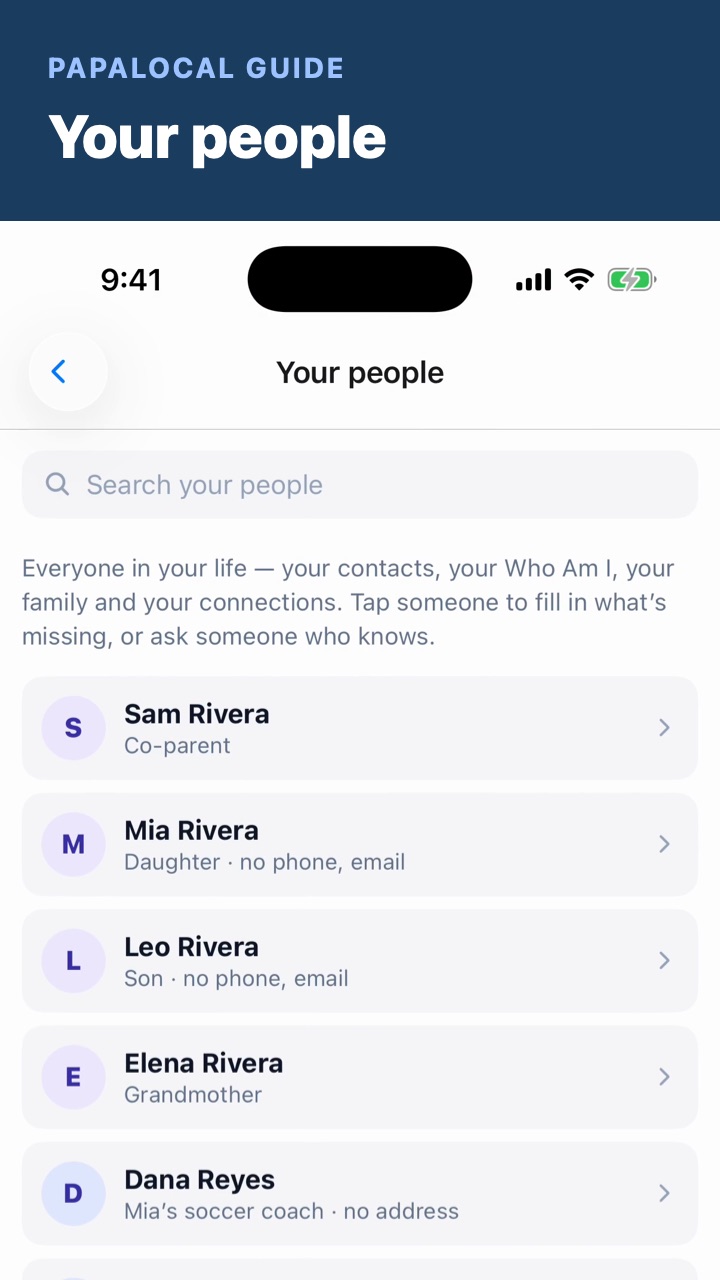
Once they're here,Your people shows everyone in one list, and what's missing for each.
Not covered here. The Invite screen also has a box about AI credits. This video doesn't cover it.
Everyone in the video is made up, including Ben Carter, Elena Rivera, Nina Patel, Dana Lopez and their 555 numbers.
Written with AI from this video's script and screens.
Inviting your people is one part of Papalocal.
The everything app. As simple as you want it, or as complete as you allow it to be.
One free account for your town and the people in it:
News, events and deals, local where your town has them
Messages and video with people you know
Music, books and shows
Your money and your people
An AI that helps with everyday things, with free credits to try it
Start with a few apps, and add more from the App Store whenever you're ready. Free to join, no card. Bank and card sync and some other extras come with a paid plan. One account works on the app and the website.
Comments
Log in to comment. New here?