QR code photo sharing for weddings and parties
One QR code for every guest’s photos
Put the code on the tables. Guests scan it with their phone’s camera, type a first name and add photos to one album. No app, no account. Download the whole album any time.
Free: photos only, up to 100, from up to 2,000 guests. The full app ($15 a month) adds videos and voice messages, up to 6,000 per occasion.
Or get the Papalocal app for iPhone or Android. Same account on the app and the website.
Already on Papalocal? Log in

How it works
- Make your occasionFree, one occasion at a time. It comes with its own camera page and QR code.
- Put the code outDownload it as a PNG or SVG for your own signs. With the full app, print a table sign in your design.
- Guests add photosThey scan, type a first name, and take or pick photos. Each one says “Added” when it’s in.
- Open the albumEveryone’s photos, newest first, with who added them. Download them all at full size.
Free counts photos, not guests
On the free plan up to 2,000 guests can add photos, up to 100 in the album. The full app ($15 a month) takes photos and videos, up to 6,000 per occasion.
What your guests see
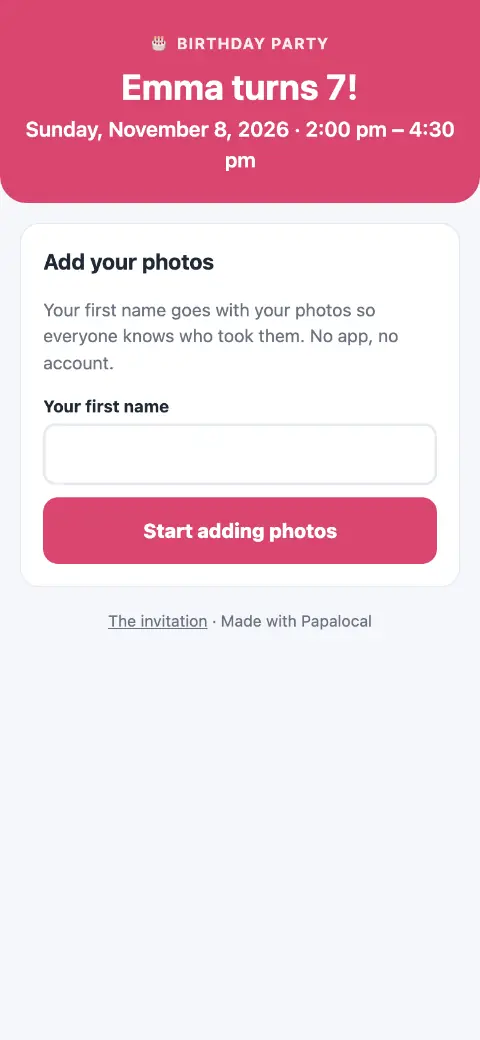
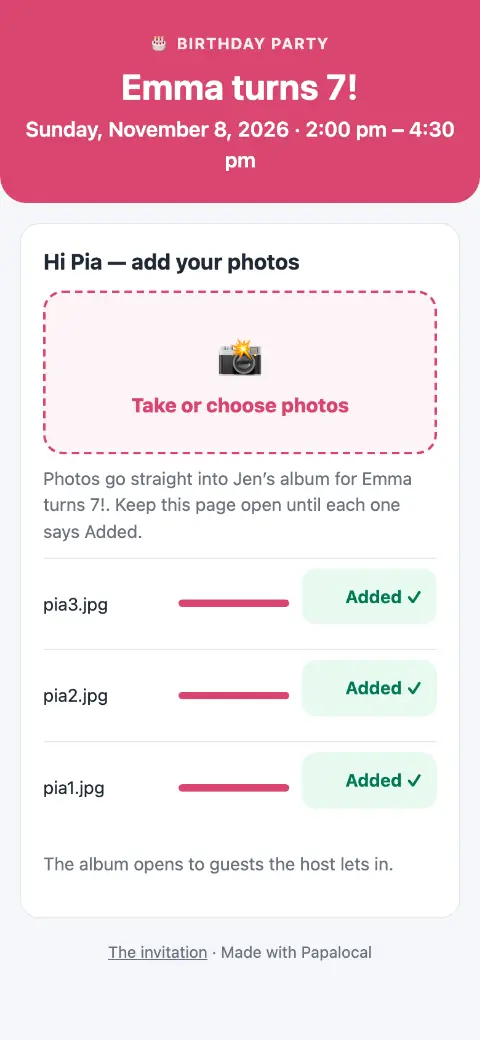
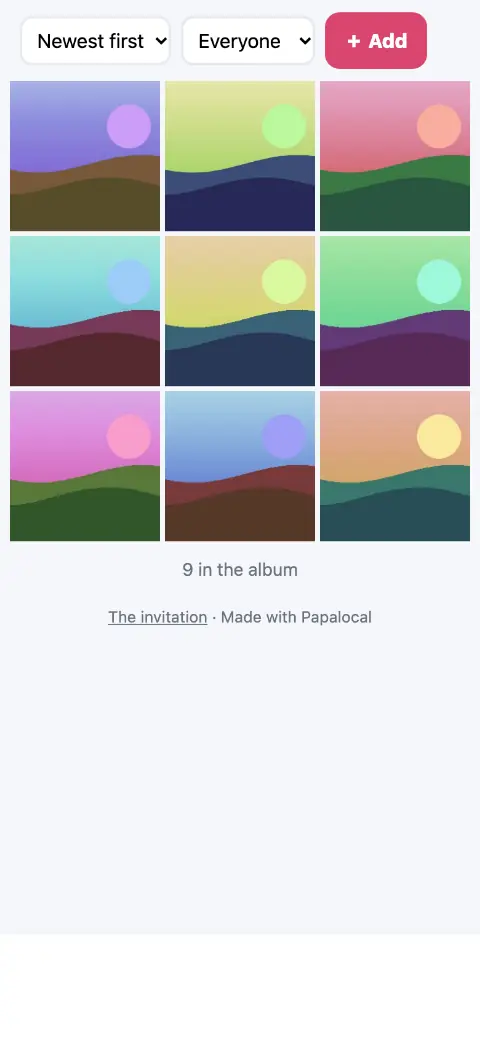
- It opens in the phone’s browser. No app to download.
- Their first name goes with their photos.
- A guest can delete their own photos; you can hide or delete any photo.
- A photo can be up to 40 MB. With the full app, a video up to 1 GB, and voice messages.
Screens from a made-up occasion in Papalocal’s test copy of the site. The album shows drawn sample pictures.
Who sees the album
The QR code only adds photos. To see the album, a guest needs to have answered Yes or Maybe on your invitation, or you can let in only the guests you choose. Birthdays, quinceañeras and sweet 16s and baptisms start on “only the guests you let in.”
When guests can add photos
| Occasion | The camera is open |
|---|---|
| Wedding | The day before to 30 days after |
| Graduation · Family reunion · Any other gathering | The day before to 7 days after |
| Baby shower · Bridal shower · Quinceañera or sweet 16 · Baptism or blessing · Missionary farewell or homecoming · Holiday get-together · Retirement party | The day before to 3 days after |
| Birthday party | The day before to 2 days after |
You can add photos yourself any time.
Words for your sign and the toast
The printed table sign says “Scan to add your photos.” Here are other lines you can use on your own sign, in the invitation, at the toast and in the thank-you.
Took a good one?
Scan the code and add it to our album.
We’d love to see the day through your eyes.
Scan to add your photos.
On the day, scan the code on the tables to add your photos to our album.
If you’ve taken photos tonight, scan the code on your table and add them to the album. No app needed.
Thank you for adding your photos. They show us the parts of the day we missed.
Free or the full app
The full app means Citizen Plus (Occasions) or Citizens Unlimited.
| What you get | FreeOne occasion at a time | Full appCitizen Plus or Citizens Unlimited |
|---|---|---|
| Guests who can add photos | Up to 2,000 | Up to 2,000 |
| Photos in the album | Up to 100 | Up to 6,000 photos and videos per occasion |
| Videos | No | Up to 1 GB each |
| Voice messages | No | Yes |
| The camera QR code (PNG and SVG) | Yes | Yes |
| Printed table signs, 5 × 7 and 8 × 10 | No | Yes |
| Live photo wall for a TV | No | Yes |
| Download everything at full size (zip files) | Yes | Yes |
| Invitation and RSVP | Yes, one occasion at a time | Yes, as many occasions as you want |
| Storage for photos and videos | The free storage every account has | 15 GB with Citizen Plus. Citizens Unlimited: 45 GB for each adult on the plan, added to your free 5 GB. |
Citizen Plus: $15 a month, with Occasions as the one app it upgrades. Or Citizens Unlimited, the upgrades in all of Papalocal’s apps: $15 a month while we finish building them, then $30 a month for everyone on it. We’ll email you 30 days before that changes.
Same account on the website and in the Papalocal app for iPhone and Android.
Questions
Do guests need an app or an account?
No. The camera page opens in the phone’s browser. Guests type a first name and add photos.
Is there a limit on guests?
Room for up to 2,000 guests per occasion. The free album holds 100 photos; the full app holds up to 6,000 photos and videos per occasion. Each guest can add up to 400 a day.
Can guests add videos?
With the full app: videos up to 1 GB each, and voice messages. The free plan takes photos only.
What happens when the free album reaches 100 photos?
Guests see that the album is full, and the 100 photos stay. You see how many more they tried to add. With the full app, it takes more.
Can I download everything?
Yes: every photo at full size, in zip files, any time, on the free plan too.
How long do the photos stay?
They stay in your album as part of your Papalocal storage, until you delete them. Download a copy whenever you like.
Does it work for a birthday or a reunion, not just a wedding?
Yes, any kind of occasion. Two things change by kind: how long the camera stays open, and whether the album starts on “only the guests you let in” (birthdays, quinceañeras and sweet 16s and baptisms). Both are above.
Can I show the photos on a TV?
With the full app: a live photo wall for a TV, where new photos appear as guests add them.