Online invitations · RSVP · guest camera
Free online invitations with RSVP and a QR code
Free for one occasion at a time. For a birthday, a wedding, a graduation or any get-together.
- Guests answer Yes, Maybe or Can’t make it. No account.
- Send the link, or print the invitation with its QR code.
- On the day, guests add photos to one album (up to 100 free).
Or get the Papalocal app for iPhone or Android. Same account on the app and the website.
Already on Papalocal? Log in

Printable invitations, free to download
Every kind of occasion has its own designs, and 3 to 7 of them are free. Your words go on the front and an RSVP code on the back. Print two on a letter sheet at home, or take the print-shop file (with bleed and crop marks) to any print shop.
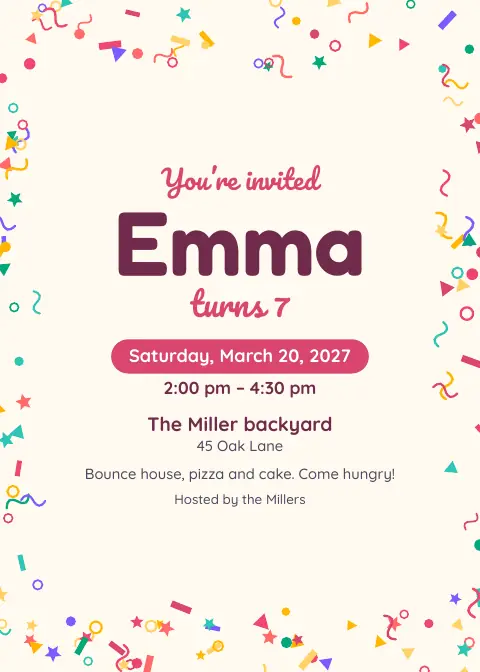
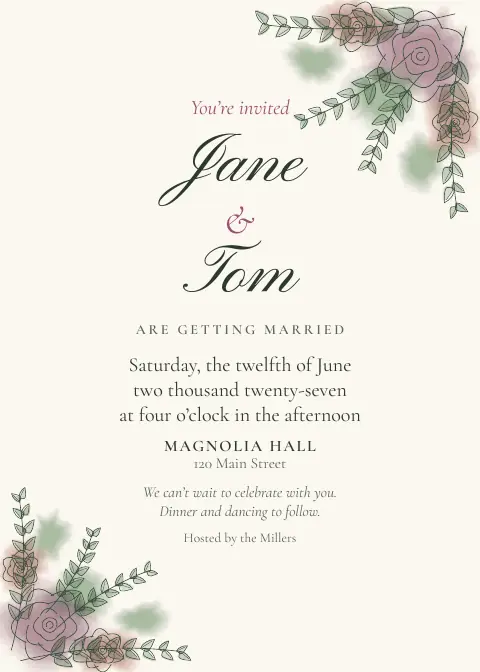



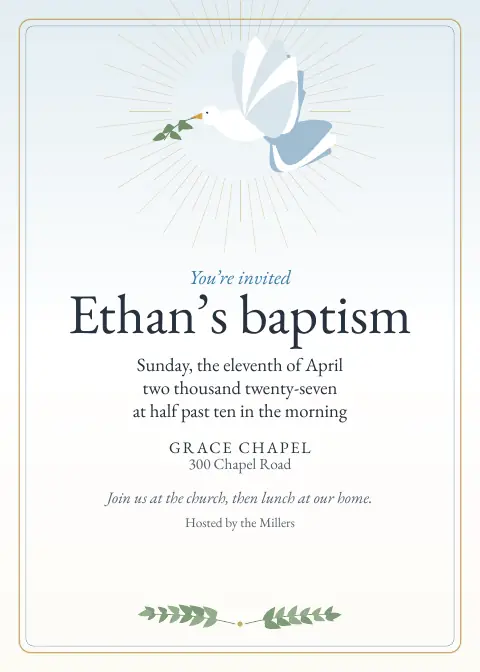











With the full app: 6 to 13 designs for each kind of occasion, plus save the dates, thank-you cards and table signs.
How it works
- Make itPick the occasion. Add the date, time and place.
- Share itSend the link, print the QR code, or print a 5 × 7 invitation.
- See who’s comingGuests answer with their name and how many are coming. No account. Download the list any time.
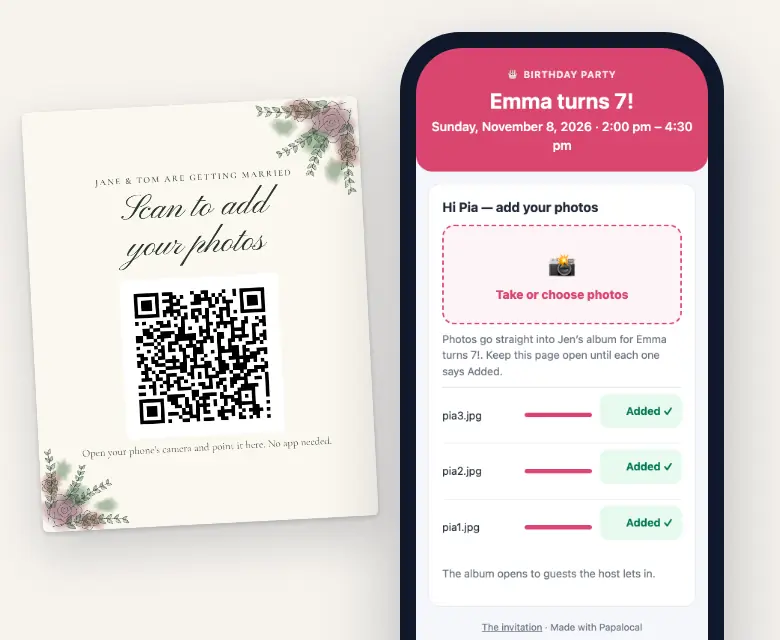
- Get the photosOn the day, guests scan the camera code, type a first name and add photos to one album.
What are you planning?
- Birthday party
- Graduation
- Wedding
- Baby shower
- Bridal shower
- Quinceañera or sweet 16
- Baptism or blessing
- Missionary farewell or homecoming
- Family reunion
- Holiday get-together
- Retirement party
- Anything else, in your own words
One album for everyone’s photos
Guests scan the camera code, type a first name and add photos from their phone’s browser. No app to download.
You choose who sees the album: guests who said Yes or Maybe, or only the guests you let in. Birthdays, quinceañeras and sweet 16s and baptisms start on “only the guests you let in.”
Free: photos only, up to 100. Full app: photos and videos, up to 6,000 per occasion. Download every one at full size, any time.
Also on your free invitation page
- A website for your occasion
- Who’s bringing what
- A schedule, even over several days
- Updates you post
- A wall for guests’ messages
- A reminder email the day before (to guests who said Yes or Maybe and left an email)
- Co-hosts
- A playlist
What to write on your invitation
Copy one and change the names. The date, time and place print from your details.
Emma turns 7!
Cake, games and a piñata in the backyard. Wear clothes that can get messy. Please reply by May 3.
Jane & Tom are getting married
Together with their families, Jane and Tom invite you to celebrate with them. Dinner and dancing to follow. Kindly reply by August 1.
A shower for Baby Rivera
Join us for brunch to celebrate Ana and the little one on the way. Please reply by June 10.
Friendsgiving at the Parkers’
We’ll make the turkey. Bring a side or a dessert, and sign up on the invitation page so we don’t end up with six pies.
Give a reply-by date and say what to bring. The RSVP page asks for each guest’s name and how many are coming.
Free or the full app
The full app means Citizen Plus (Occasions) or Citizens Unlimited.
| What you get | FreeOne occasion at a time | Full appCitizen Plus or Citizens Unlimited |
|---|---|---|
| Occasions at once | 1 | As many as you want |
| Invitation page, RSVP, QR code, add to calendar | Yes | Yes |
| Answers per occasion | Up to 1,000 | Up to 1,000 |
| Who’s coming, as a list or a spreadsheet | Yes | Yes |
| Printable 5 × 7 invitation | The free designs for your occasion (3 to 7) | Every design for your occasion (6 to 13) |
| Save the date, thank-you card, table signs | No | Yes |
| Extra RSVP questions (who’s coming with you, meal choice, allergies, a song) | No | Yes |
| Guest camera | Photos only, up to 100 | Photos and videos, up to 6,000 |
| Voice messages from guests | No | Yes |
| Sign-ups, schedule, guest wall, reminder email, co-hosts, playlist | Yes | Yes |
| Updates emailed to guests | No | Yes |
| Guest list with personal links and reminders | No | Yes |
| A website for the occasion | Yes, for your one occasion | Yes, for every occasion |
| Live photo wall for a TV · guests’ mailing addresses | No | Yes |
| Download everything at full size (zip files) | Yes | Yes |
| Storage for photos and videos | The free storage every account has | 15 GB with Citizen Plus. Citizens Unlimited: 45 GB for each adult on the plan, added to your free 5 GB. |
Citizen Plus: $15 a month, with Occasions as the one app it upgrades. Or Citizens Unlimited, the upgrades in all of Papalocal’s apps: $15 a month while we finish building them, then $30 a month for everyone on it. We’ll email you 30 days before that changes.
Same account on the website and in the Papalocal app for iPhone and Android.
Questions
Is it really free?
Yes, for one occasion at a time: the invitation page and RSVPs (up to 1,000 answers), the QR code, a printable invitation in your occasion’s free designs, a website for your occasion, and an album of up to 100 photos. An occasion stops counting once you end it, or 30 days after its date. The full app adds more occasions at once, videos, more printables, extra RSVP questions and a live photo wall for a TV.
Do my guests need an account or the app?
No. Guests answer on your invitation page with their name, and add photos from their phone’s browser with a first name.
Can Papalocal text my invitations?
No, Papalocal doesn’t text your guests. Copy your link into your own texts, group chat or email, print the QR code, or invite people you’re connected to on Papalocal with a message, up to 100 at a time.
Who sees the answers and the photos?
Only you and your co-hosts see each guest’s answer and contact details. The album is open to guests who said Yes or Maybe, or only to the guests you let in.
Can I print the invitations?
Yes. Download a 5 × 7 PDF with an RSVP code on the back: two to a letter sheet for home, or a print-shop file with bleed and crop marks. Papalocal doesn’t print or mail anything.
What happens to the photos afterward?
They stay in your album, in your Papalocal storage, until you delete them. Download every one at full size whenever you like.
Can AI set it up for me?
If you like. Describe your occasion in the AI chat and it fills in the details for you to check. It uses your AI credits; new accounts get welcome credits.
Is it in the app?
Yes. The same account works on the website and in the Papalocal app for iPhone and Android.