Papalocal sends automated emails to customers at each step of a booking. Your customer gets a link to approve your quote, a link to pay the deposit, a receipt and the confirmation, a note when it's out, and a thank-you after the pick-up. A cancellation is emailed too. Each comes in your business's name. With your business's email on file, replies go to you.
Step by step
Before you start: a booking with the customer's email on it.
0:00Open her inbox. The video shows the inbox of Dana Reyes, a made-up customer, after one party. Each email is from the business.
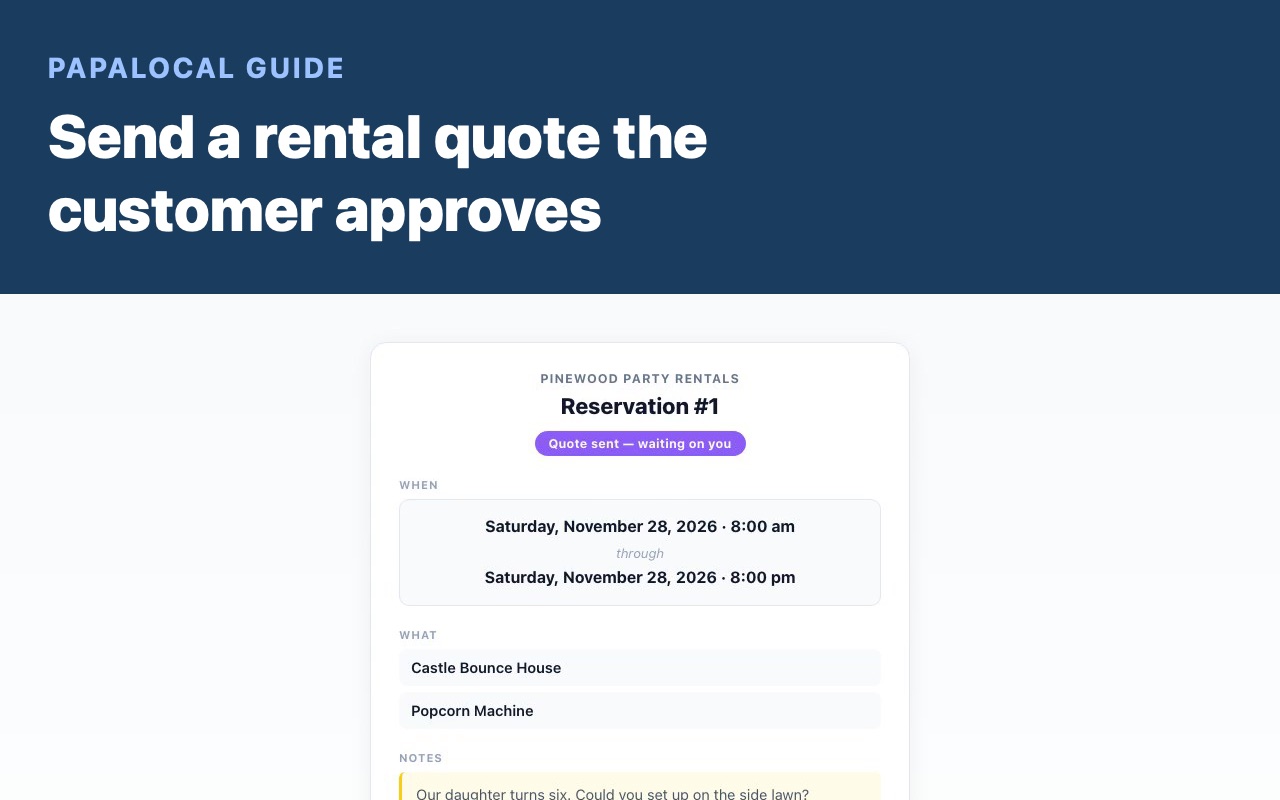
0:08Send a quote. She gets a link to look it over and approve it: Review and approve.
0:13Ask for the deposit. She gets a link to pay it, with the amount on the button.
0:16Take the payment. Once it's paid, she gets a receipt and the confirmation, with the day and the times.
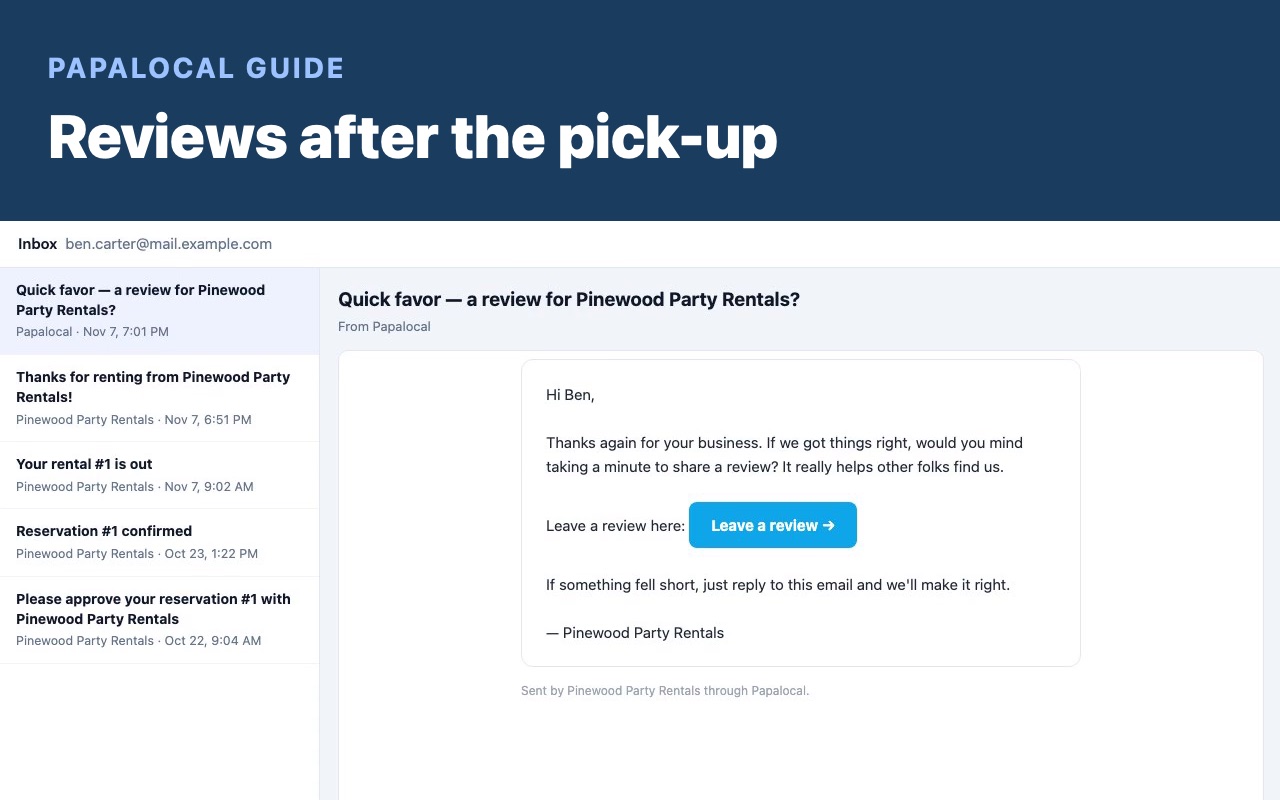
0:22Deliver and pick up. On the day, she's told when it's out. After the pick-up, she gets a thank-you.
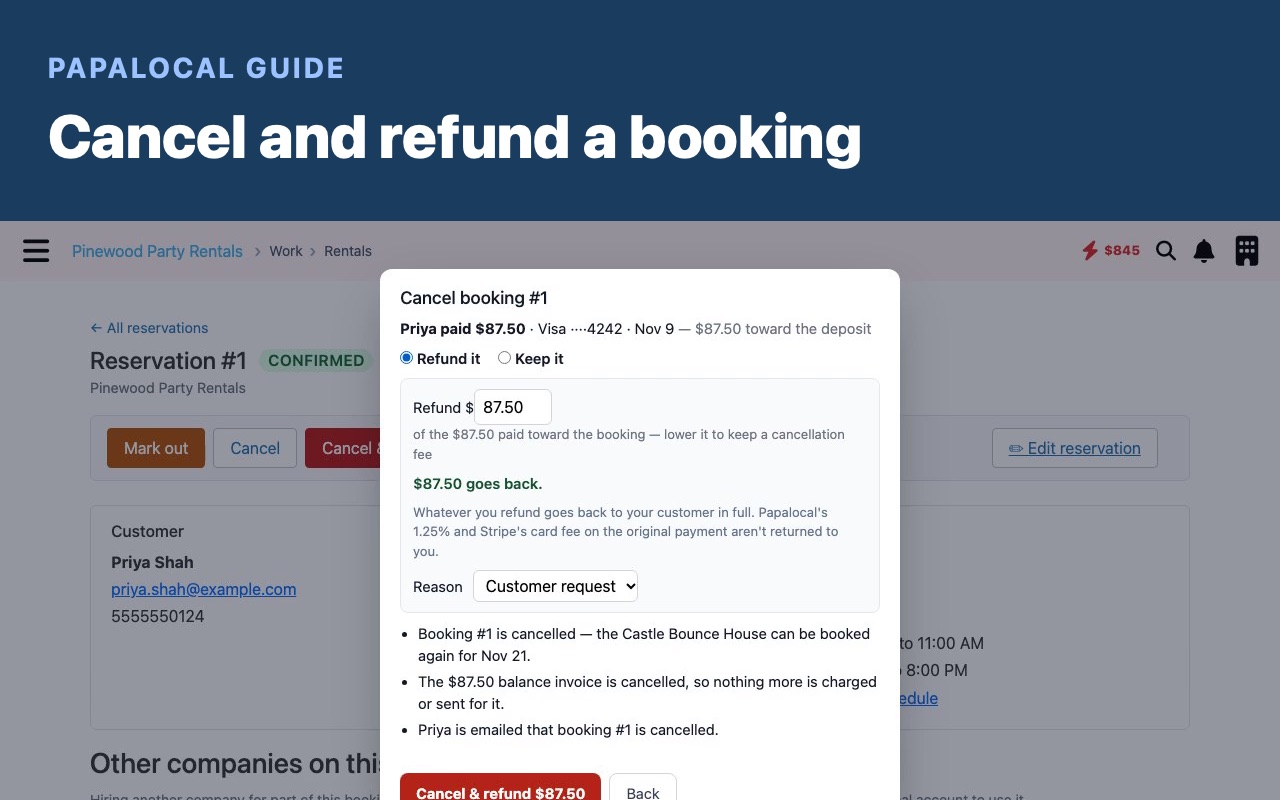
0:27Cancel, if it comes to that. If a booking is cancelled, she's told that too.
0:31Let her reply. Every email comes in your business's name. When she replies, it goes straight to you.
Good to know
Booking you already have sends nothing. A booking added with + Booking you already have gets none of these. Block dates and catch up your calendar shows that screen.
Your business needs an email on file. Replies go there. Without one, none of these is sent except the payment receipt, and a reply to that reaches Papalocal support.
So does she. A booking with no customer email gets none of them.
Add your own face.A personal touch, under Online booking, puts your photo and a few words from you in these emails.
Dana Reyes, her email address and Pinewood Party Rentals are made up.
Written with AI from this video's script and screens.
Customer emails are one part of running your rental company on Papalocal.
The everything app. As simple as you want it, or as complete as you allow it to be.
Looking for party rental software that emails your customers at each step? These go out from your bookings, in your name.
The plan holds, in one place:
Your customer list: each lead and customer, with their quotes and jobs on one page
Quotes, jobs and schedule
Invoices and pay links
Your website, on a domain you own
Google Business Profile sync, for your first location
Reviews: links, QR codes and an embed
Time clock, team chat and training
The same account holds your own side too: music, books, messages, your money and your people. Some of it has paid upgrades.
Free to sign up, no card. Your account and your business page have no monthly charge. One thing is on from the start: AI replies to your reviews, $0.15 each plus AI usage. You can pause them.
Once you turn the plan on: $30 a month (one person; each added employee is $10 a month), plus 1.25% of payments your customers make through Papalocal, plus Stripe's processing fee. It's billed daily from a prepaid balance. Once your card is saved, it's charged a top-up within the hour, and again each time the balance falls under a month's charges plus 15%. You choose the top-up amount ($25 or more; $100 until you change it). You can cancel the plan online after its first 30 days; cancel any add-ons on it first.
Papalocal's founder, Garret Merkley, has started 7 local service businesses in 16 years. He bought one, sold one and closed some.
Does my customer get a booking confirmation email?
Yes. Once the deposit is paid, she gets a receipt and the confirmation, with the day and the times.
Who do replies go to?
To your business's email. Each comes in your business's name. With no email on file, the receipt is the only one of these that's sent, and a reply to it reaches Papalocal support.
Does an inquiry send anything?
No. An inquiry stays on your side until you send the quote. Then she gets the link to approve it.
Is the thank-you the review ask?
No. The review ask is its own email, sent only when review requests are on. Reviews after the pick-up shows when it goes.
What does it cost?
It's free to sign up, with no card. Your account and your business page have no monthly charge. One thing is on from the start: AI replies to your reviews, $0.15 each plus AI usage. You can pause them. The plan starts only when you turn it on: $30 a month (one person; each added employee is $10 a month), plus 1.25% of payments your customers make through Papalocal, plus Stripe's processing fee.
How is it billed, and can I cancel?
It's billed daily from a prepaid balance. Once your card is saved, it's charged a top-up within the hour, and again each time the balance falls under a month's charges plus 15%. You choose the top-up amount ($25 or more; $100 until you change it). You can cancel the plan online after its first 30 days; cancel any add-ons on it first.
Will Papalocal find me customers?
No. Papalocal gives you the tools. Finding customers is your work.

Comments
Log in to comment. New here?