Birthday party invitations · RSVP · photo album
Birthday invitations with RSVP, to print or send
Free for one party at a time: the invitation, RSVP, a QR code, 5 designs to print and up to 100 photos.
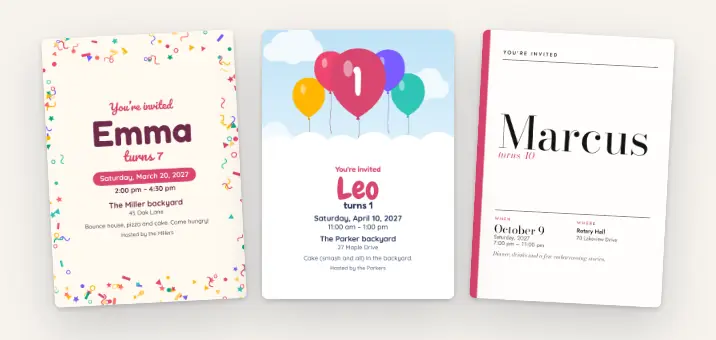
- Guests answer Yes, Maybe or Can’t make it, with how many adults and kids. No account.
- Print it for the class, or send the link to the group chat.
- On the day, guests add photos to an album only the guests you let in can see.
Free for one party at a time. Parents don’t need an account to RSVP.
Or get the Papalocal app for iPhone or Android. Same account on the app and the website.
Already on Papalocal? Log in
Real designs from made-up birthdays.
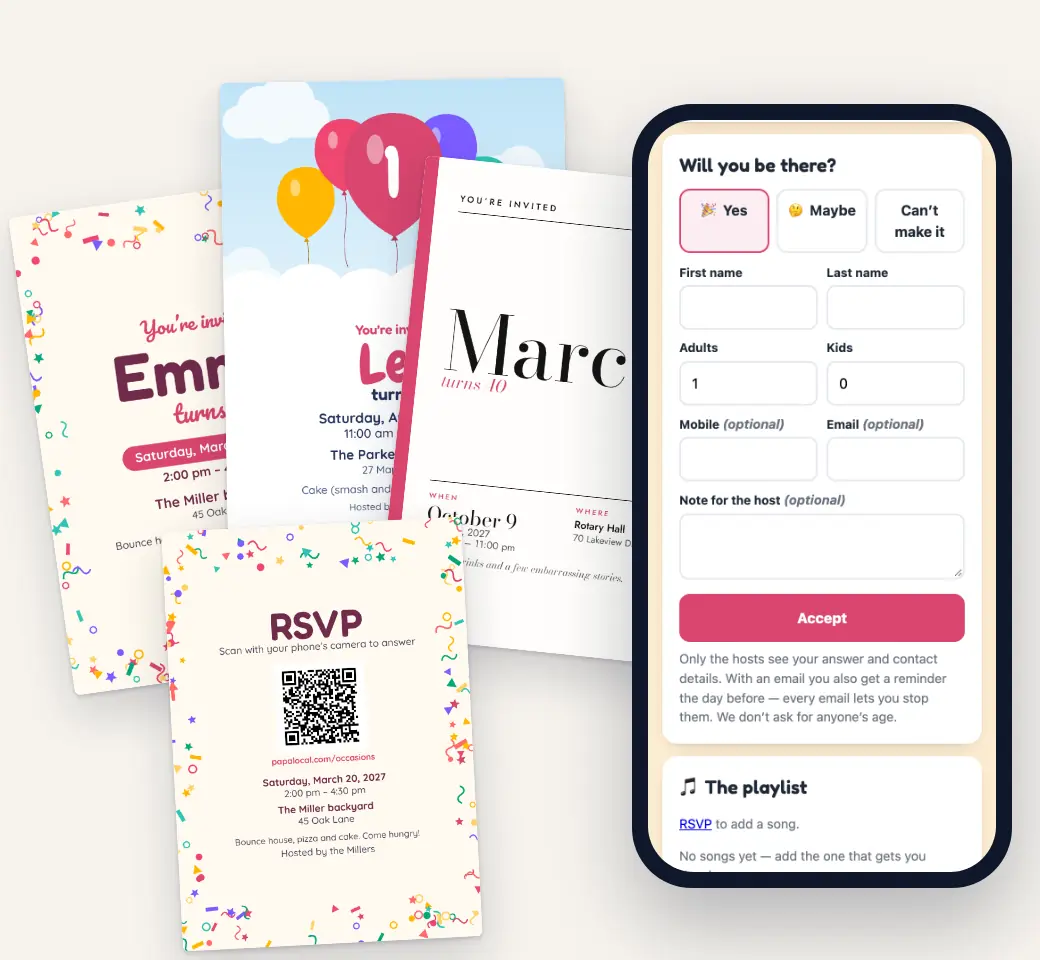
Birthday invitation designs
Eleven designs for a birthday, and five are free: Confetti Pop, Up & Away, Gallery, Family Picnic and La Corona. Each prints as a 5 × 7 card with an RSVP code on the back. The same design is your online invitation, and it comes out of an envelope the first time a guest opens it.
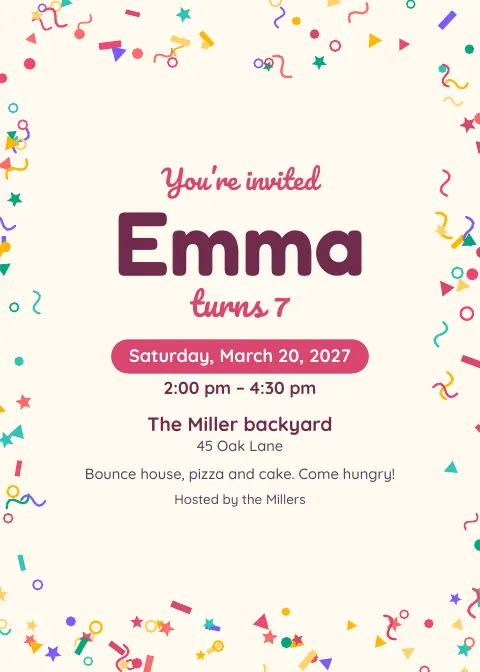
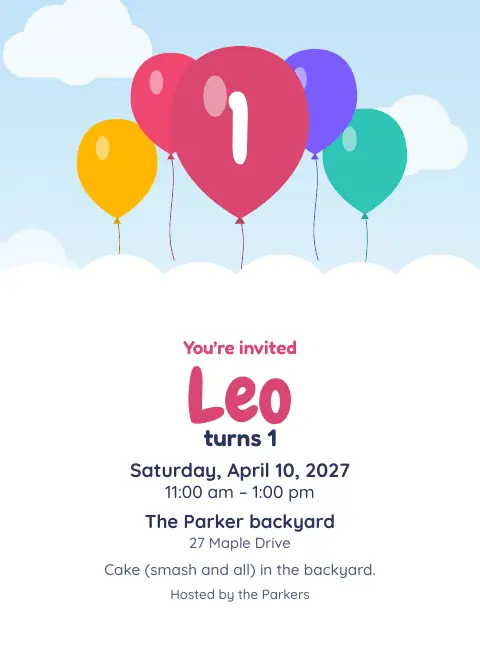
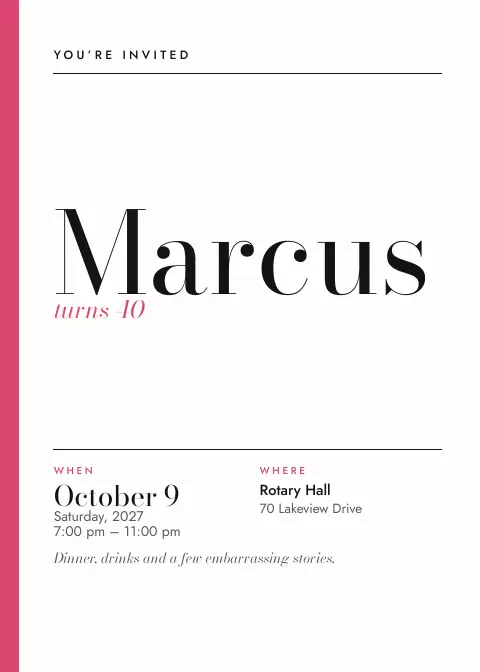
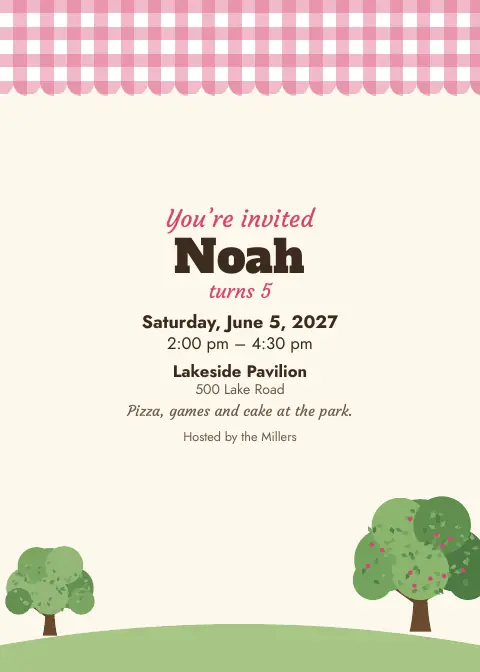
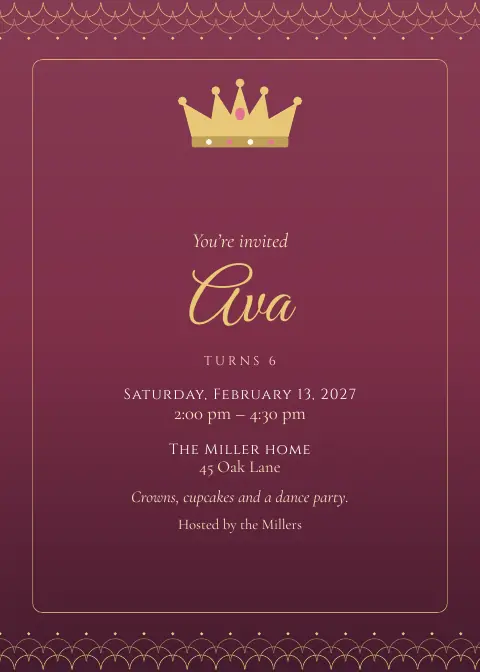
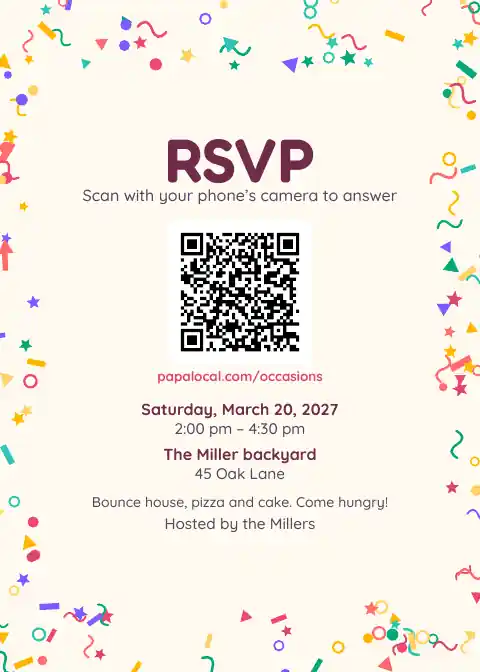
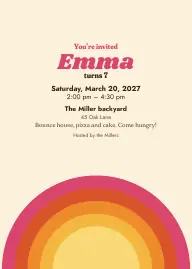
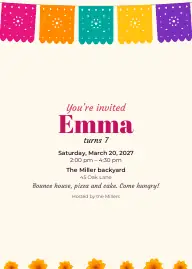
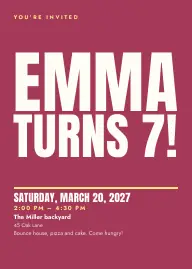
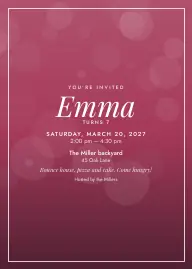

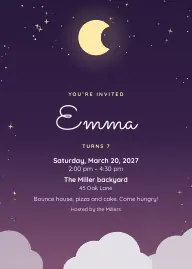
With the full app: all 11, plus thank-you cards, save the dates and table signs.
Add a cover photo and the free designs frame it.
Print two on a letter sheet at home, or take the print-shop file (with bleed and crop marks) to any print shop. Papalocal doesn’t print or mail cards.
How it works
- Make itPick Birthday party, name it (“Emma turns 7!”) and add the date, time and place.
- Share itPrint the invitation (two on a letter sheet), send the link, or email it from Papalocal to your guest list (up to 50 people, free).
- See who’s comingEach answer says how many adults and kids. Set a head count, or the most each RSVP can bring, and the invitation says when it’s full.
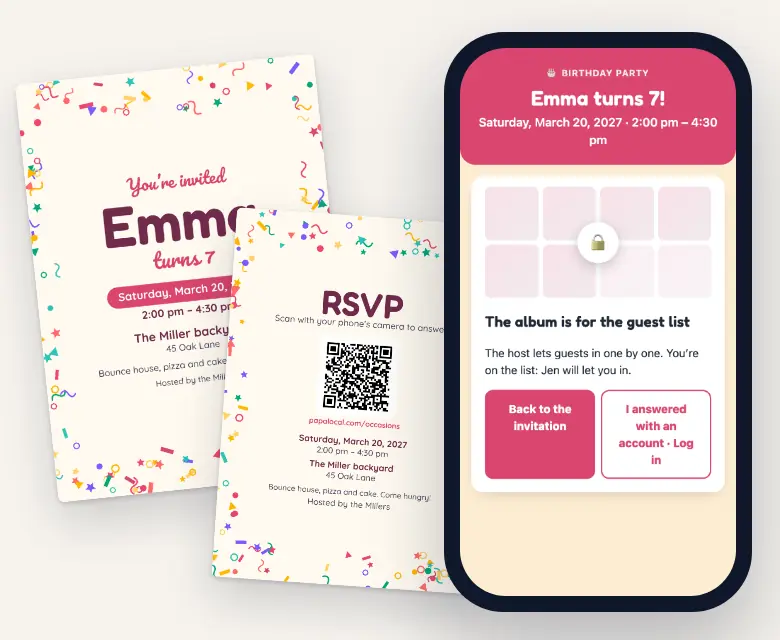
- Get the photosGuests scan the camera code, type a first name and add photos. The album opens only to the guests you let in.
See who’s coming, adults and kids
Each answer says how many adults and kids are coming. Set a head count for the whole party, or the most each RSVP can bring. When it’s full, the invitation tells the next guest.
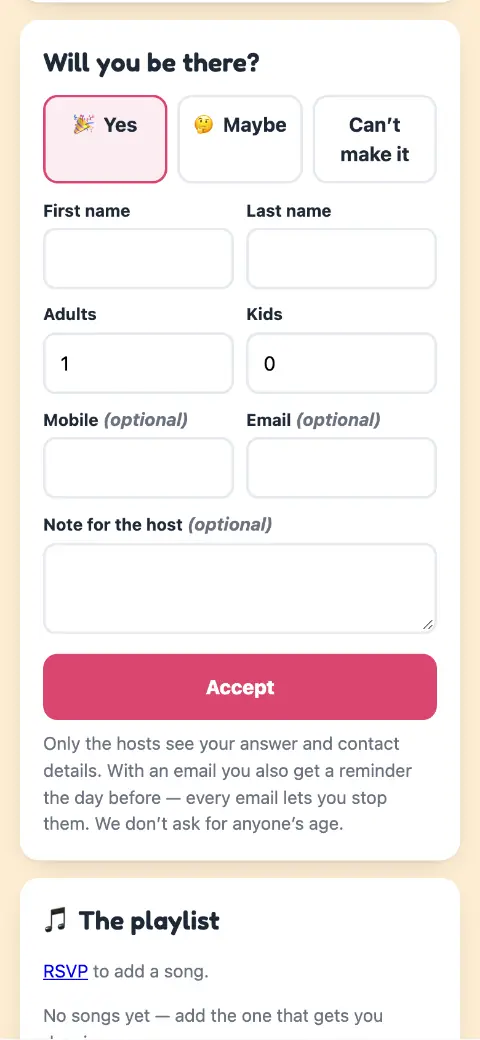
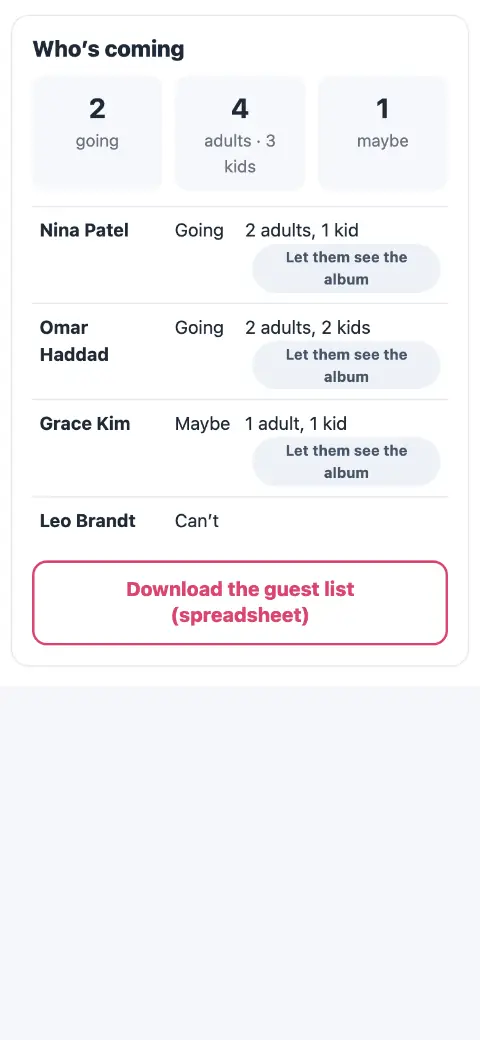
Real screens from a made-up birthday in Papalocal’s test copy of the site. The names are made up.
An album only the guests you let in can see
A birthday’s album starts on “only the guests you let in”. Anyone you give the camera code can add photos. To see the album, a guest needs your OK. You can hide or delete any photo, and Papalocal tells search engines not to list the invitation page.
Free: photos only, up to 100. Full app: photos and videos, up to 6,000. Download every photo at full size, any time. The camera stays open until 2 days after.
Also free on your invitation
- Who’s bringing what
- A schedule (pizza at 1, cake at 2)
- Updates you post (“We moved inside”)
- Polls
- Gift links, up to 6
- A group card guests sign, private until you open it
- A wall for guests’ messages
- Co-hosts
- A playlist
- A reminder email the day before (to guests who said Yes or Maybe and left an email)
- Spanish, English or both
- A website for the party
Birthday invitation wording
Copy one and change the names. The first line is your title and the rest is your note; the date, time and place print from your details.
Emma turns 7!
Cake, games and a piñata in the backyard. Wear clothes that can get messy. Please reply by May 3.
Leo is turning one!
Join us for cake (smash and all) as we celebrate Leo’s first year. Please reply by June 2.
Ava’s slime party
Drop-off from 2 to 4. Tell us about any allergies in your note when you RSVP.
Noah’s 5th
Your company is the gift. If you’d like to bring something, a book for Noah’s shelf is perfect.
Dana’s 40th
Dinner, drinks and a few embarrassing stories. Adults only, please. RSVP by October 9.
Shh! It’s a surprise for Mike
Arrive by 6:45; Mike walks in at 7. Park on Elm Street so he doesn’t see the cars.
Say who’s invited (siblings? parents?) and give a reply-by date. The RSVP already asks how many adults and kids are coming.
When to send
- 2–3 weeks beforeA kid’s party (3–4 weeks for a milestone birthday).
- A week beforeThe reply-by date.
- The day beforeA reminder email to guests who said Yes or Maybe and left an email.
- The dayGuests add photos. The camera stays open until 2 days after.
- AfterThank-you cards (full app).
A rule of thumb, not a rule.
Free or the full app
The full app means Citizen Plus (Occasions) or Citizens Unlimited.
| What you get | FreeOne party at a time | Full appCitizen Plus or Citizens Unlimited |
|---|---|---|
| Invitation page, RSVP, QR code, add to calendar | Yes | Yes, as many parties as you want |
| RSVP with adults and kids · a head count · the most each RSVP can bring | Yes | Yes |
| Printable 5 × 7 invitation, and the same design online | Confetti Pop, Up & Away, Gallery, Family Picnic and La Corona | All 11 birthday designs |
| Thank-you cards, save the dates, table signs | No | Yes |
| The allergy question on the RSVP | No (guests can write it in their note) | Yes |
| Email the invitation from Papalocal | Up to 50 people | Up to 1,000 people |
| Album only the guests you let in can see | Yes | Yes |
| Guest camera | Photos only, up to 100 | Photos and videos, up to 6,000 |
| A group card guests sign | Yes | Yes, with videos and every design |
| A website for the party | Yes, for your one occasion | Yes, for every occasion |
| Live photo wall for a TV · voice messages | No | Yes |
| Download everything at full size (zip files) | Yes | Yes |
| Storage | The free 5 GB every account has | 15 GB with Citizen Plus. Citizens Unlimited: 45 GB for each adult on the plan, added to your free 5 GB. |
Citizen Plus: $15 a month, with Occasions as the one app it upgrades. Or Citizens Unlimited, the upgrades in all of Papalocal’s apps: $15 a month while we finish building them, then $30 a month for everyone on it. We’ll email you 30 days before that changes.
Same account on the website and in the Papalocal app for iPhone and Android.
Questions
When should you send birthday invitations?
A common rule of thumb is two to three weeks before a kid’s party, and three to four weeks for a milestone birthday. Ask for replies about a week before, so you know how much pizza and cake to order.
What should a birthday invitation say?
Whose birthday, the date, start and end time, the place, who’s invited (siblings? parents?), anything to bring or wear, and a reply-by date. Copy one of the examples above.
Are these birthday invitations really free?
Yes, for one party at a time:
- the invitation and RSVPs (up to 1,000 answers), with the QR code
- the 5 free designs to print
- a website for the party
- an album of up to 100 photos
The full app ($15 a month) adds the other 6 designs, thank-you cards, the allergy question, and videos (up to 6,000 photos and videos).
Can I send it by text?
Papalocal doesn’t text your guests. Copy your link into your own texts or the class group chat, print the QR code, or email it from Papalocal to a guest list of up to 50 people.
Do parents need an account or the app to RSVP?
No. They answer on your invitation page with their name and how many adults and kids are coming, and add photos from their phone’s browser.
Who can see the party photos?
A birthday’s album starts on “only the guests you let in”. Guests add photos with the camera code, and seeing the album takes your OK. You can hide or delete any photo.
Can I limit how many people come?
Yes, free. Set a head count for the whole party, or the most each RSVP can bring. When it’s full, the invitation tells the next guest.
Can I ask about allergies?
With the full app, the RSVP asks “Any allergies we should know about?”. On the free plan, guests can write it in their note to you when they answer.
When to send
- 2–3 weeks before: A kid’s party (3–4 weeks for a milestone birthday).
- A week before: The reply-by date.
- The day before: A reminder email to guests who said Yes or Maybe and left an email.
- The day: Guests add photos. The camera stays open until 2 days after.
- After: Thank-you cards (full app).
A rule of thumb, not a rule.