Quinceañera and sweet 16 invitations
Quinceañera invitations in Spanish, English or both
Free for one occasion at a time: the invitation, RSVP, a QR code, 4 designs to print and up to 100 guest photos.
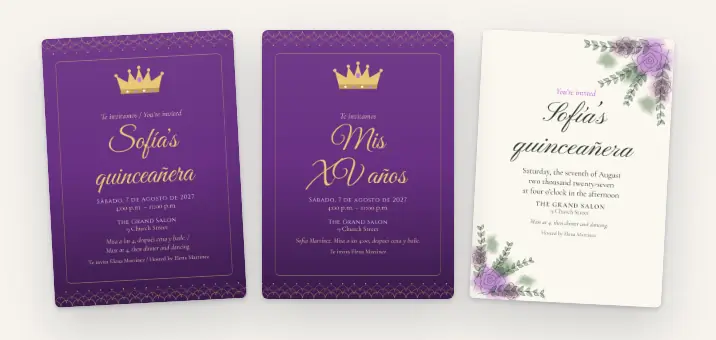
- In Spanish, English or both. On both, each guest switches with a tap.
- They RSVP with how many adults and kids are coming. No account, no app.
- On the night, everyone adds photos to an album only the guests you let in can see.
Free for one occasion at a time. Your guests don’t need an account.
Or get the Papalocal app for iPhone or Android. Same account on the app and the website.
Already on Papalocal? Log in
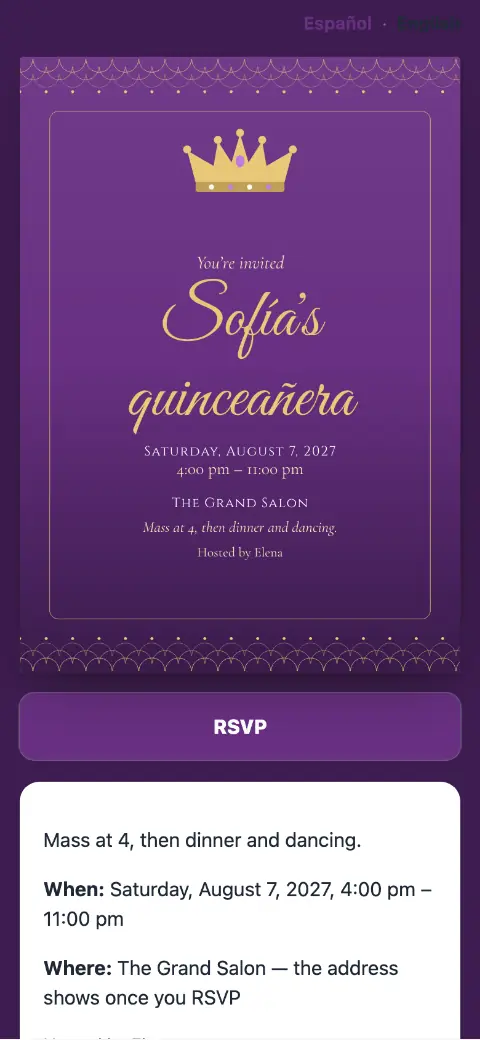
Real designs from a made-up quinceañera.
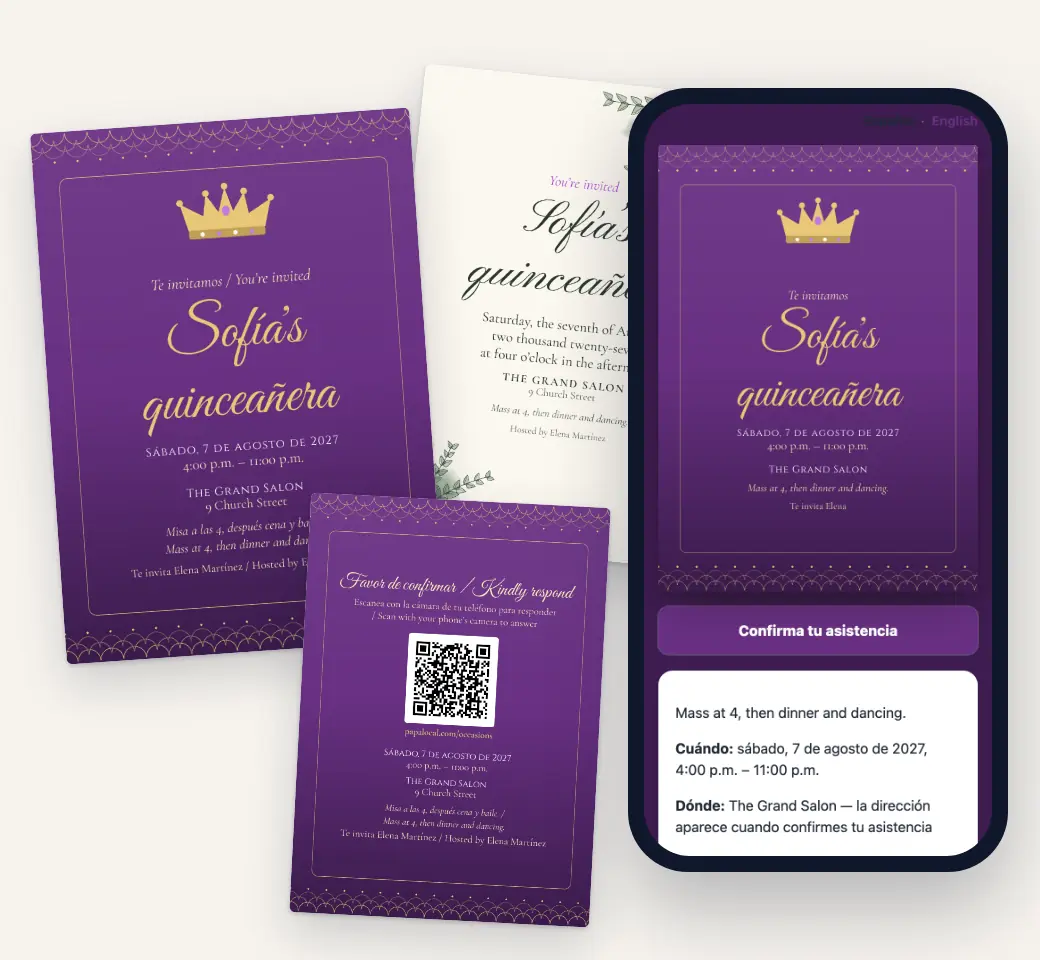
Quinceañera invitation designs
Eight designs for a quinceañera or sweet 16, and four are free: La Corona, Garden Vows, Gallery and Confetti Pop. Each prints as a 5 × 7 card with your words on the front and an RSVP code on the back. The same design is your online invitation, which comes out of an envelope the first time a guest opens it.
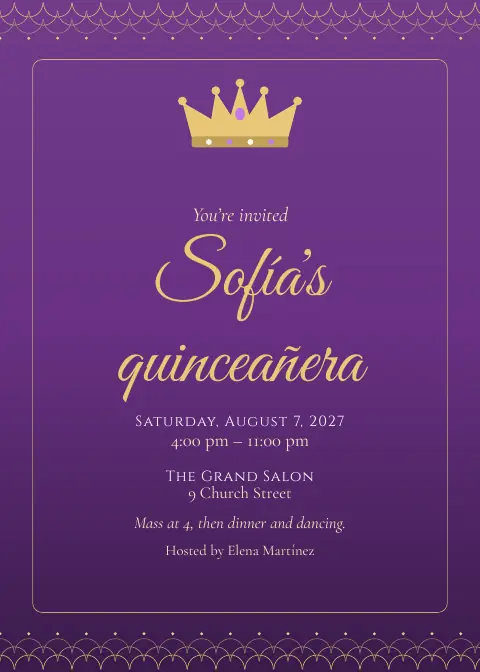
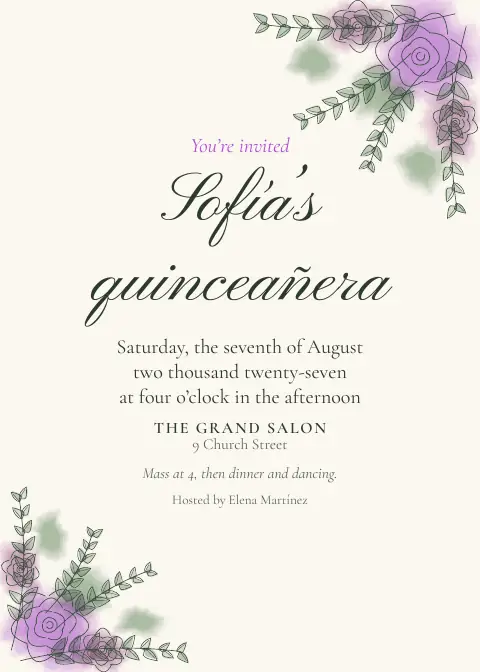
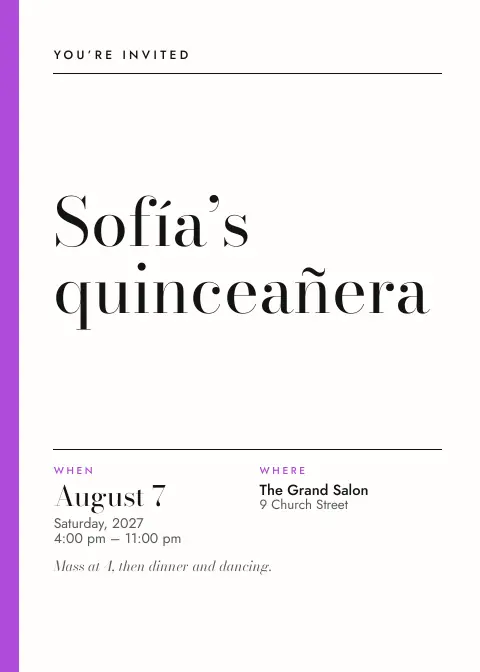
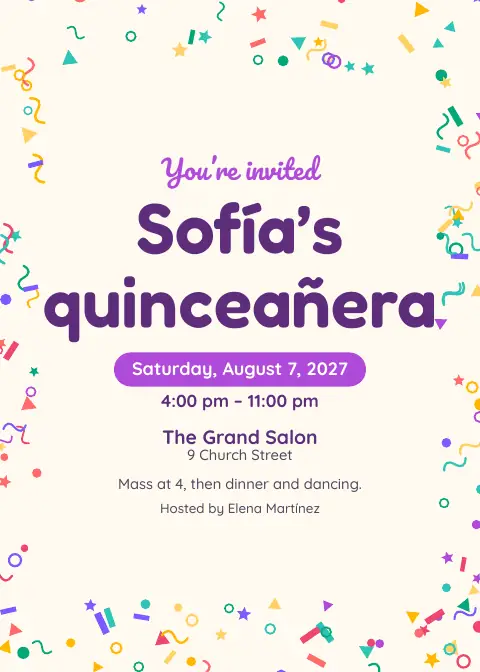
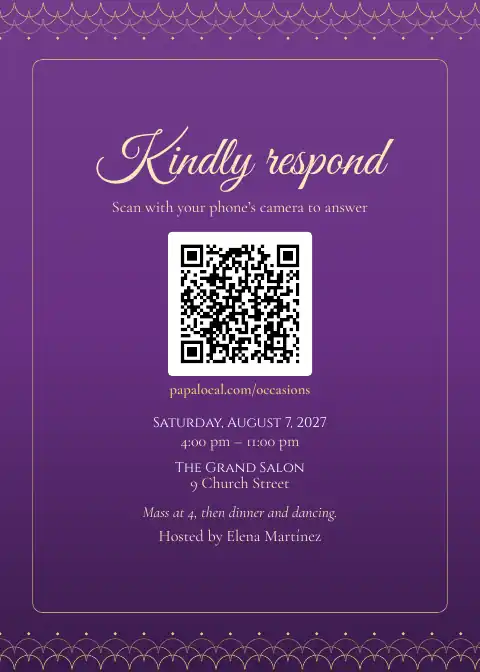
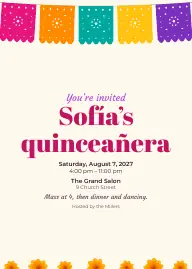
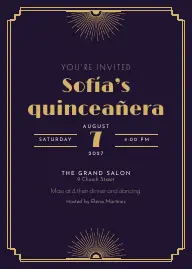
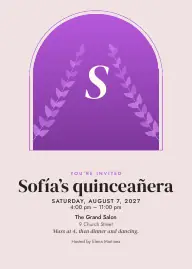
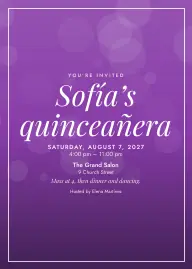
With the full app: all 8 designs, plus save the dates, thank-you cards and table signs.
Add her photo: the free designs frame the cover photo you add. With the full app, The Arch and Keepsake show it large.
Print two on a letter sheet at home, or take the print-shop file (with bleed and crop marks) to any print shop. Papalocal doesn’t print or mail cards.
How it works
- Make itPick Quinceañera, add the date and the place, and put the Mass and the reception in the schedule. Choose your guests’ language: Spanish, English or both.
- Share itPrint the invitation, or send the link by text, WhatsApp or email. You can also email it from Papalocal to your guest list (up to 50 people, free).
- See who’s comingGuests answer Sí, Tal vez or No podré ir (or Yes, Maybe, Can’t make it), with how many adults and kids. Download the list any time.
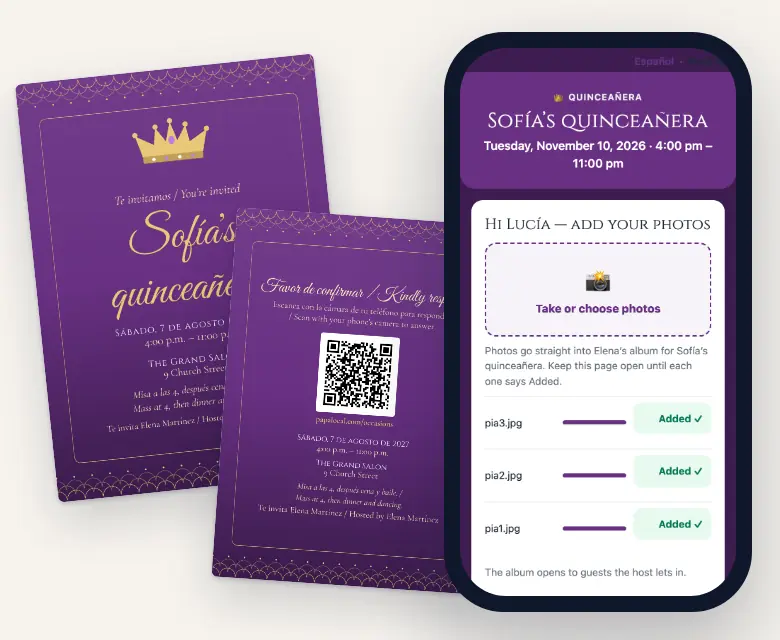
- Get the photosOn the night, guests scan the camera code, type a first name and add photos to one album.
Spanish, English or both
Pick your guests’ language once, in the occasion’s settings.
- Spanish: the invitation, the RSVP, the camera, the album, the emails, the printed cards and the party’s website are in Spanish.
- Both: Spanish first, with an “Español · English” switch at the top of every guest page. Emails carry Spanish, then English. Printed cards say both: “Te invitamos / You’re invited.”
- English: for a sweet 16, or a family that reads English.
What you type yourself (her name, your note, the schedule) prints exactly as you write it. Papalocal doesn’t translate it, so write your note in both languages if you want it in both. Garden Vows writes the date out the traditional way: “El sábado siete de agosto de dos mil veintisiete, a las cuatro de la tarde.”
The screens where you plan are in English.
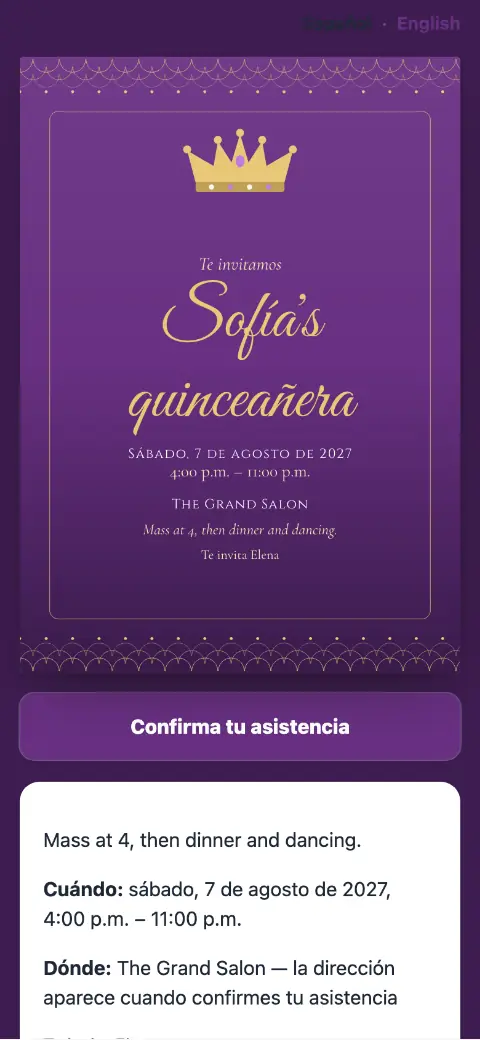
Real screens from a made-up quinceañera in Papalocal’s test copy of the site.
For the night itself
- An album only the guests you let in can see. A quinceañera’s album starts on that setting. Guests add photos from their phone’s browser, no app. You can hide or delete any photo.
- Passes and a head count. Set the most people each invitation can bring and a head count for the hall. When it’s full, the invitation says so.
- Her waltz, their meal. With the full app, the RSVP can ask each guest’s meal choice (from the options you name), a song that gets them dancing, and the names of who’s coming with them.
- Where am I sitting? With the full app, a seating chart: tables, a chart sign and table cards to print, and each guest can look up their own table on the invitation.
- Padrinos and tías on the planning team. Invite co-hosts to plan with you and helpers to run the camera and the door on the night. Each says yes and joins free.
Also free on your invitation
- Who’s bringing what
- A schedule (Mass, reception, the waltz)
- Gift links, up to 6
- Polls
- Updates you post
- A wall for guests’ messages
- A reminder email the day before (to guests who said Yes or Maybe and left an email)
- A website for the party
- Add to calendar
- A playlist
Quinceañera invitation wording, in English and Spanish
Copy one and change the names. On a Papalocal invitation, the first line is your title and the rest is your note. The date, time and place print from your details.
Sofía’s Quinceañera
With the blessing of God and the love of my parents and godparents, I invite you to celebrate my fifteenth birthday. Mass at 4:00 p.m., reception to follow.
Mis XV años
Con la bendición de Dios y el cariño de mis padres y padrinos, tengo el honor de invitarte a celebrar mis quince años. Misa a las 4:00 p.m.; recepción a las 7:00 p.m.
Mis XV años · My Quinceañera
Acompáñanos a celebrar a Sofía. / Join us to celebrate Sofía. Misa / Mass 4:00 p.m. · Recepción / Reception 7:00 p.m.
Sofía Martínez
Roberto and Elena Martínez request the honor of your presence at their daughter’s quinceañera. Dinner and dancing to follow. Please reply by July 10.
Mia’s Sweet 16
Sixteen candles, one big night. Dinner, music and dancing. Please RSVP by March 6.
Gracias · Thank you
Thank you for celebrating my quinceañera with me, and for your gift. Having all of you there meant so much. — Sofía
Give a reply-by date, and the dress code if there is one. The RSVP page asks how many adults and kids are coming, so you don’t need to.
When to send
- 4–6 months beforeSave the dates (full app).
- 6–8 weeks beforeSend the invitations.
- 3–4 weeks beforeThe reply-by date.
- The day beforeA reminder email goes to guests who said Yes or Maybe and left an email.
- The nightGuests add photos.
- AfterThank-you cards (full app).
A rule of thumb, not a rule: your hall or caterer may need the head count sooner.
Free or the full app
The full app means Citizen Plus (Occasions) or Citizens Unlimited.
| What you get | FreeOne occasion at a time | Full appCitizen Plus or Citizens Unlimited |
|---|---|---|
| Invitation page, RSVP, QR code, add to calendar | Yes | Yes, as many occasions as you want |
| Guests read it in Spanish, English or both | Yes | Yes |
| Printable 5 × 7 invitation, and the same design online | La Corona, Garden Vows, Gallery and Confetti Pop | All 8 quinceañera designs |
| Save the date, thank-you card, table signs | No | Yes |
| RSVP with adults and kids · passes per invitation · head count | Yes | Yes |
| Extra RSVP questions: names of who’s coming with them, meal choice, a song | No | Yes |
| Email the invitation from Papalocal | Up to 50 people | Up to 1,000 people |
| Planning team: co-hosts and helpers | Yes | Yes |
| Seating chart, chart sign, table cards, “Where am I sitting?” | No | Yes |
| Guests’ mailing addresses for printed invitations | No | Yes |
| A website for the party | Yes, for your one occasion | Yes, for every occasion |
| Guest camera | Photos only, up to 100 | Photos and videos, up to 6,000 |
| Voice messages for the quinceañera · live photo wall for a TV | No | Yes |
| Download everything at full size (zip files) | Yes | Yes |
| Storage | The free 5 GB every account has | 15 GB with Citizen Plus. Citizens Unlimited: 45 GB for each adult on the plan, added to your free 5 GB. |
Citizen Plus: $15 a month, with Occasions as the one app it upgrades. Or Citizens Unlimited, the upgrades in all of Papalocal’s apps: $15 a month while we finish building them, then $30 a month for everyone on it. We’ll email you 30 days before that changes.
Same account on the website and in the Papalocal app for iPhone and Android.
Questions
When should quinceañera invitations be sent?
A common rule of thumb is six to eight weeks before, with save the dates four to six months ahead for a big party. Ask guests to reply three to four weeks before, or whenever your hall or caterer needs the count.
Can the invitation be in Spanish and English?
Yes. Pick Spanish, English or Both in the occasion’s settings. With Both, guests see Spanish first and can switch to English at the top, emails carry both languages, and printed cards say both. Your own words stay as you type them, and the screens where you plan are in English.
What do you write on a quinceañera invitation?
Her name, the date, the Mass and the reception, her parents’ and padrinos’ names if you like, and a reply-by date. Copy one of the examples above. The date, time and place print from your details.
Can guests choose their meal or request a song?
With the full app, the RSVP can ask each guest’s meal choice from the options you name, a song that gets them dancing, and the names of who’s coming with them. On the free plan it asks each guest’s name and how many adults and kids are coming, and guests can leave you a note.
Who can see the photos?
A quinceañera’s album starts on “only the guests you let in”. You can change it to everyone who said Yes or Maybe. Guests add photos with the camera code; seeing the album takes your OK. You can hide or delete any photo, and Papalocal tells search engines not to list the invitation page.
Is it really free?
Yes, for one occasion at a time:
- the invitation in Spanish, English or both
- RSVPs (up to 1,000 answers) and the QR code
- the 4 free designs to print
- a website for the party
- an album of up to 100 photos
The full app ($15 a month) adds the other 4 designs, save the dates and thank-you cards, the meal and song questions, the seating chart, and videos (up to 6,000 photos and videos).
Can Papalocal print and mail the invitations?
No, Papalocal doesn’t print or mail cards. Download the PDF and print two on a letter sheet at home, or take the print-shop file to any print shop. With the full app, guests can type their mailing address on the invitation and you download the list for the envelopes.
Does it work for a sweet 16?
Yes. Pick “Quinceañera or sweet 16”, call it “Mia’s Sweet 16” and leave the guests’ language on English. You get the same designs, RSVP and album settings.
When to send
- 4–6 months before: Save the dates (full app).
- 6–8 weeks before: Send the invitations.
- 3–4 weeks before: The reply-by date.
- The day before: A reminder email goes to guests who said Yes or Maybe and left an email.
- The night: Guests add photos.
- After: Thank-you cards (full app).
A rule of thumb, not a rule: your hall or caterer may need the head count sooner.